
Check In and Check Out in Zoho People
Here is our approach for checking in and checking out in Zoho People in a simple way.
Even a non-technical person can easily set it up in just a few steps.

Approach
We can record check-in and check-out times in Zoho People and track working hours using the following steps.
1. Checking In and Checking Out
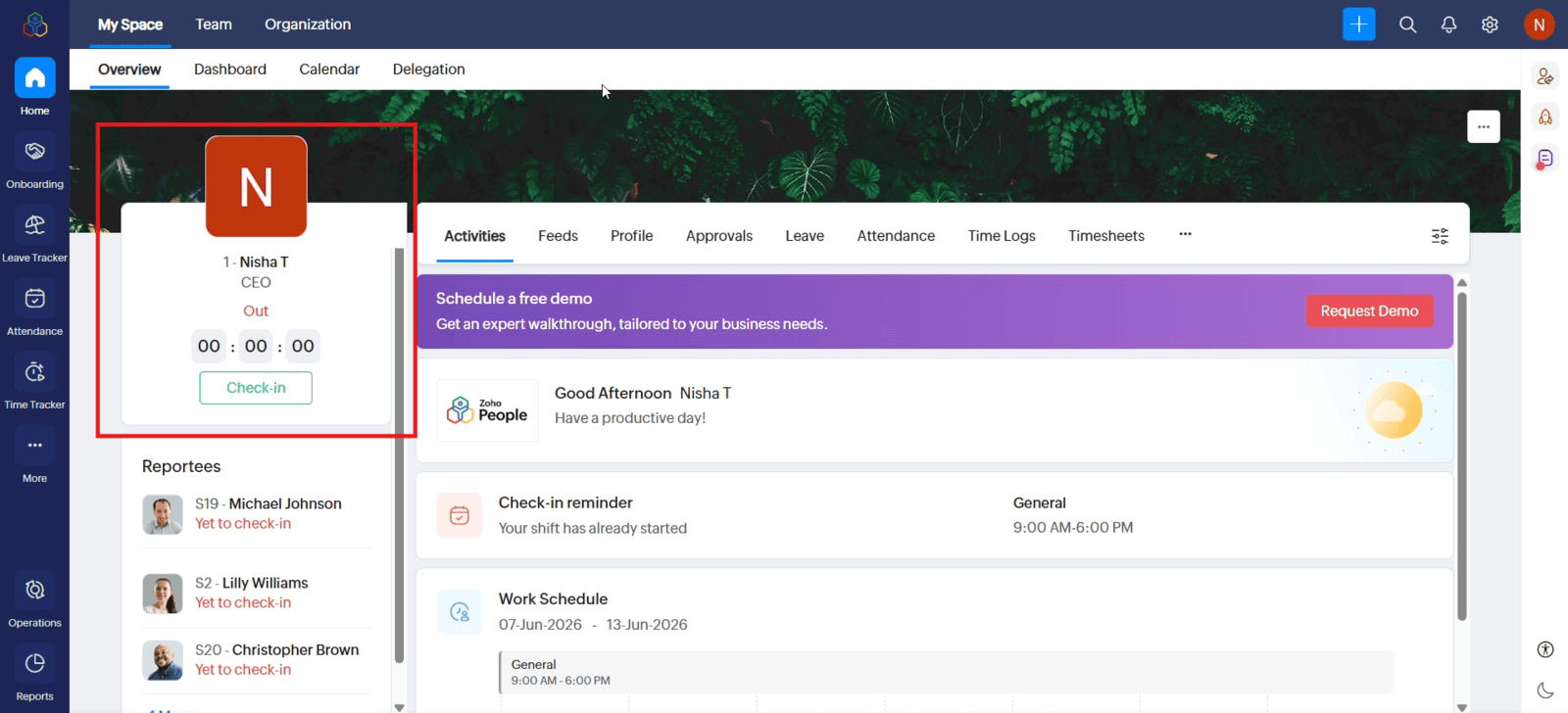
1.1 Open Zoho People and navigate to the "Check-In" option on the Home page
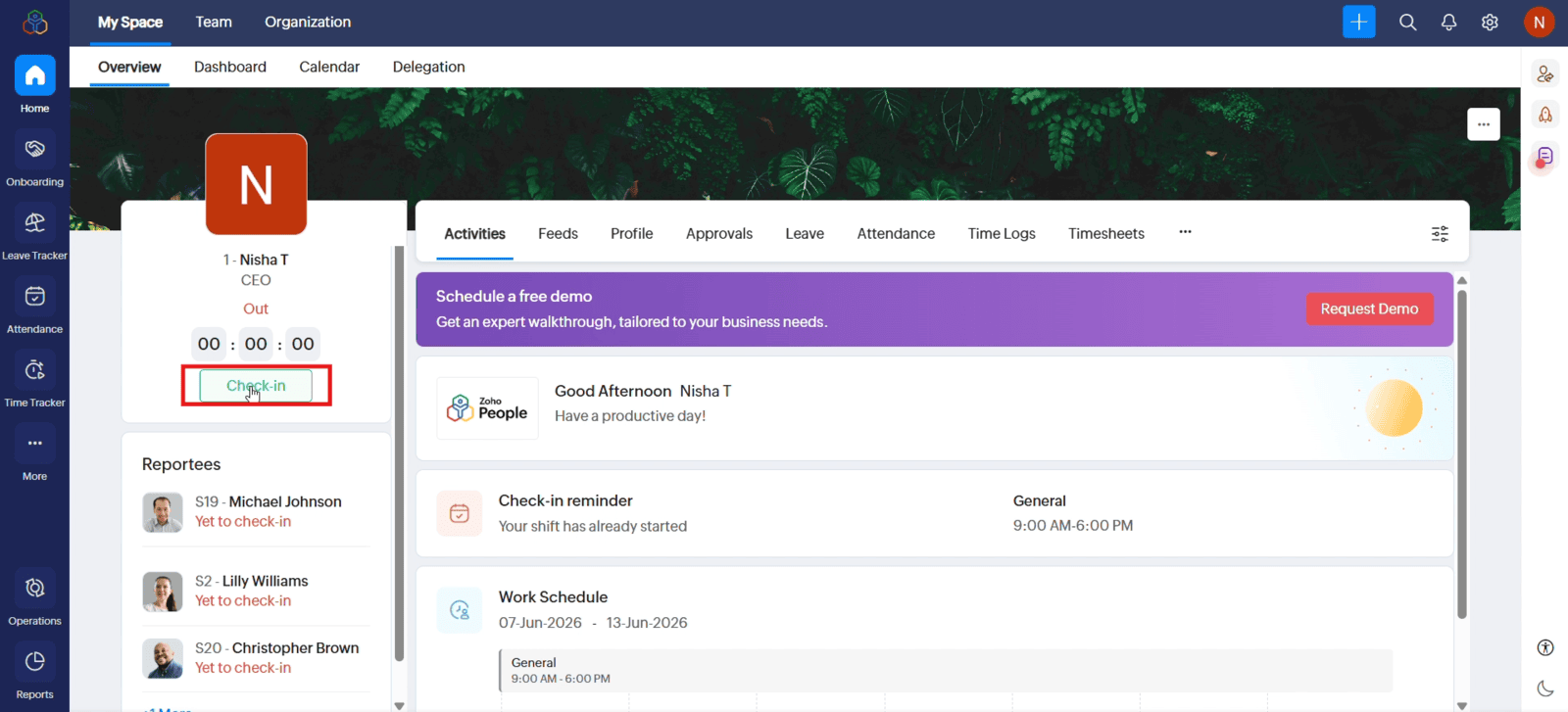
1.2 Click "Check-In" to record your starting time. Your attendance is recorded instantly
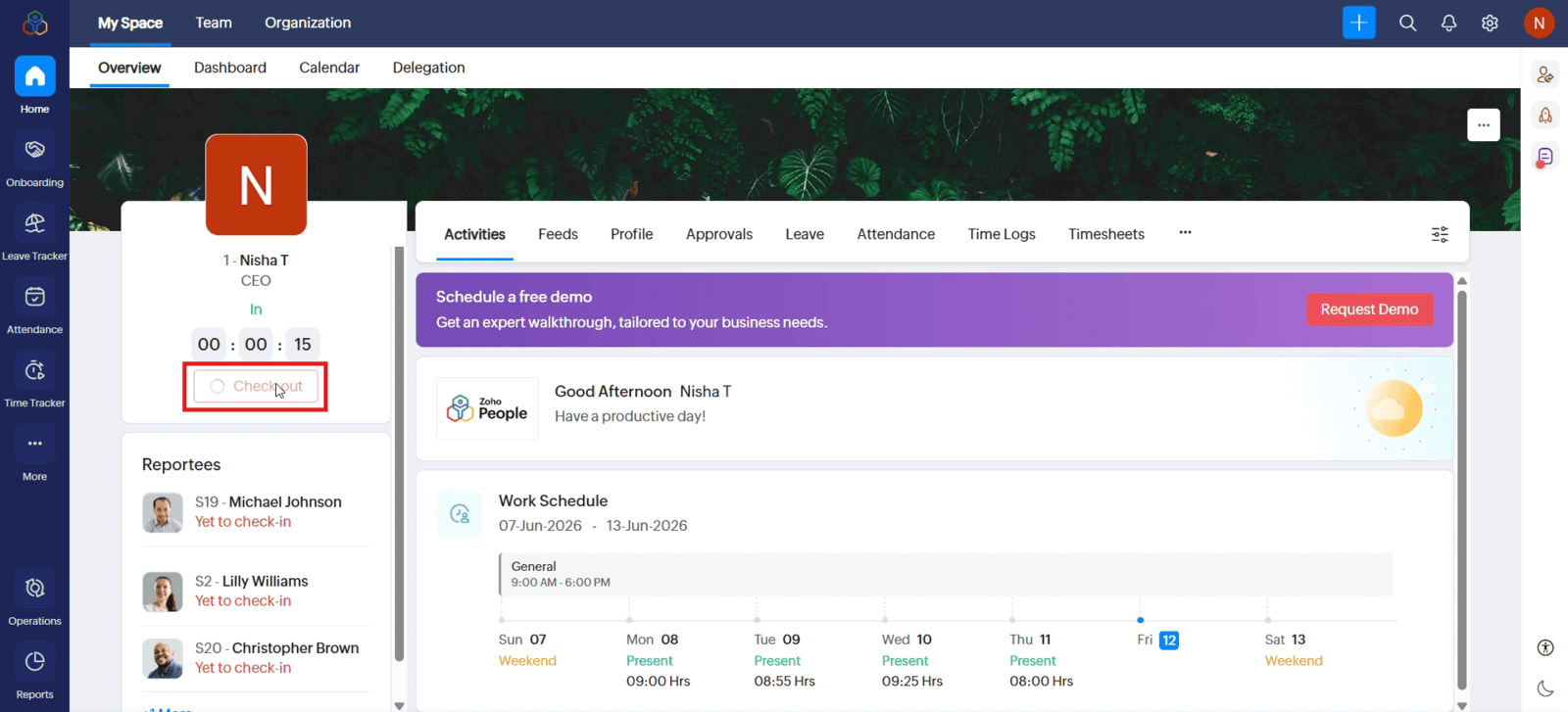
1.3 At the end of your workday, click "Check-Out" to record your leaving time
2. Viewing Attendance Details
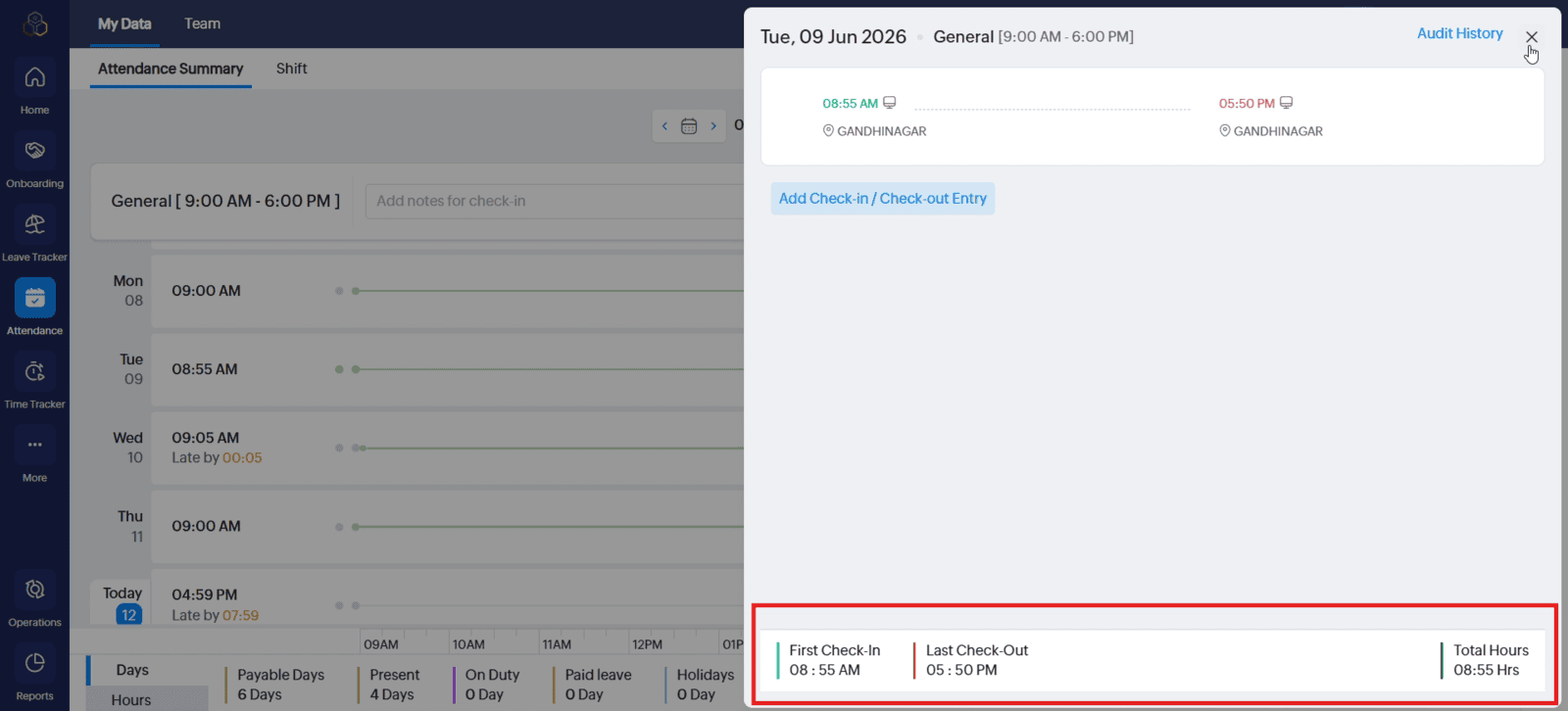
2.1 Open the "Attendance Dashboard" and select "Attendance Summary"
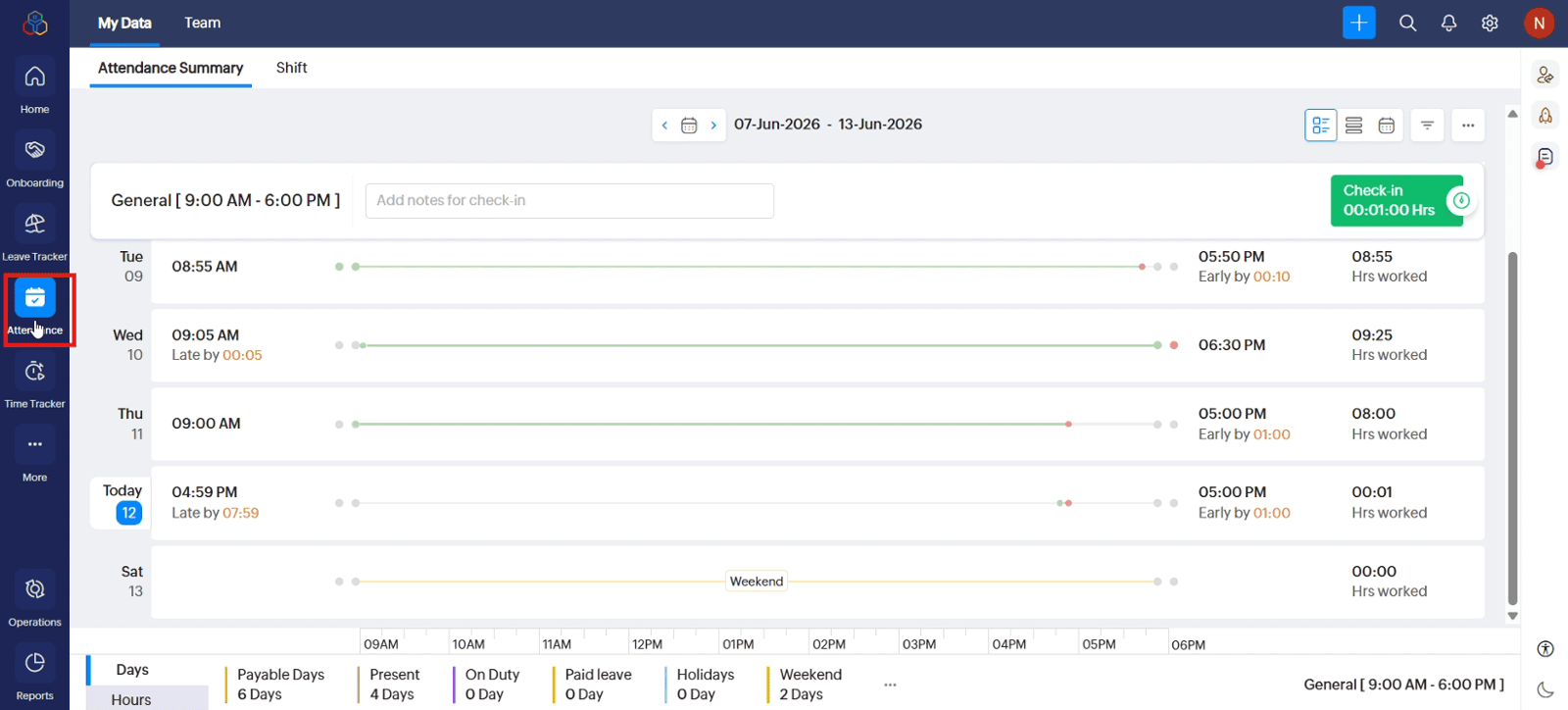
2.2 Open the relevant attendance record to view the check-in time, check-out time, and working-hour details
Video: Check-In and Check-Out in Zoho People
Here is the video explanation of the above steps.


